Audio panel
Display and play audio waveforms from incoming RawAudio and CompressedAudio message topics.
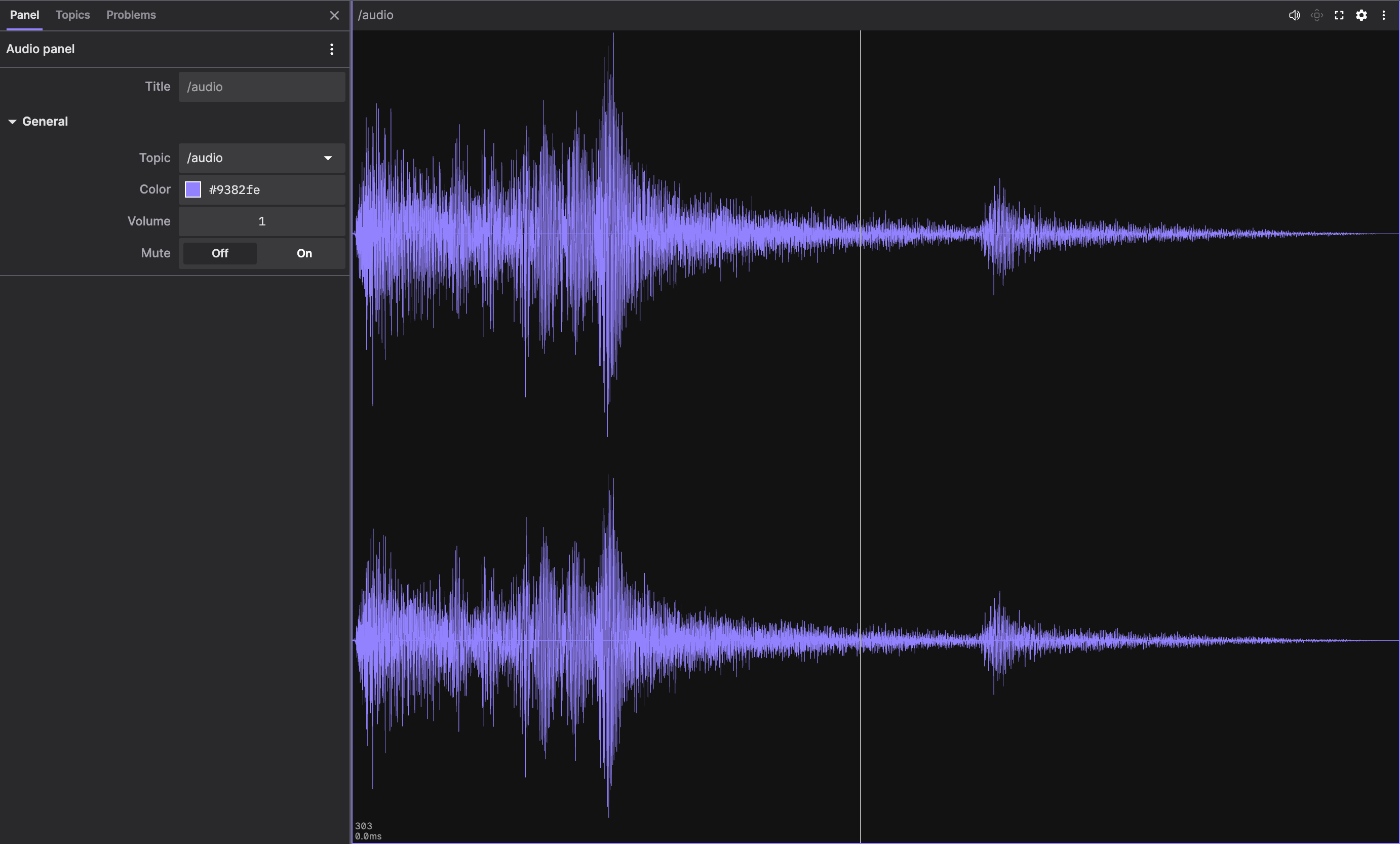
In Comparison mode, use the Data source picker in the panel toolbar to choose which slot to display.
Settings
General
| field | description |
|---|---|
| Topic | Topic containing RawAudio or CompressedAudio messages |
| Color | Color of the audio waveform visualization |
| Volume | Audio playback volume (0.0 to 1.0) |
| Mute | Mute audio playback |
| Window size | Time range in seconds for the sliding window (live sources only) |
Supported schemas
The Audio panel supports the following message schemas:
foxglove_msgs/RawAudiofoxglove_msgs/msg/RawAudiofoxglove.RawAudiofoxglove::RawAudiofoxglove_msgs/CompressedAudiofoxglove_msgs/msg/CompressedAudiofoxglove.CompressedAudiofoxglove::CompressedAudio
Supported formats
The Audio panel reads the pcm-s16, g711-alaw, and g711-ulaw format values. See foxglove.RawAudio for how each one lays out its data, sample_rate, and number_of_channels fields.
G.711 waveform display and playback both go through the browser's WebCodecs implementation, so a message plays only if the browser accepts its sample rate and channel configuration.
For foxglove.CompressedAudio messages, the Audio panel reads the opus and mp4a.40.2 format values through the browser's WebCodecs implementation. Opus data must be raw Opus packets, not an Ogg container, and AAC-LC data must be complete ADTS packets. The panel also reads the G.726 format values g726-16, g726-24, g726-32, and g726-40, which use RFC 3551 bit packing, and aal2-g726-16, aal2-g726-24, aal2-g726-32, and aal2-g726-40, which use AAL2 bit packing. G.726 audio is mono at 8 kHz. The panel decodes G.726 to 16-bit PCM itself, then plays it through WebCodecs like other formats.
G.726 decoding carries state from one sample to the next. After a seek, or when the waveform starts partway through a stream, the first samples are approximate until the decoder state catches up.