Cloud
Load cloud files or resources for visualization. Supported cloud resources include Foxglove Data Platform, HTTP files, and Remote data loaders.
Foxglove Data Platform
The Foxglove Data Platform is a cloud-based data storage and management solution that allows you to store and manage your data in the cloud. It is a fully-managed control plane paired with a fully-managed data plane or self-hosted data plane.
The supported formats for Foxglove Data Platform are: MCAP (.mcap) and ROS 1 (.bag)
After importing data to Foxglove, select individual resources to visualize on the Timeline, Events, or Recordings pages:
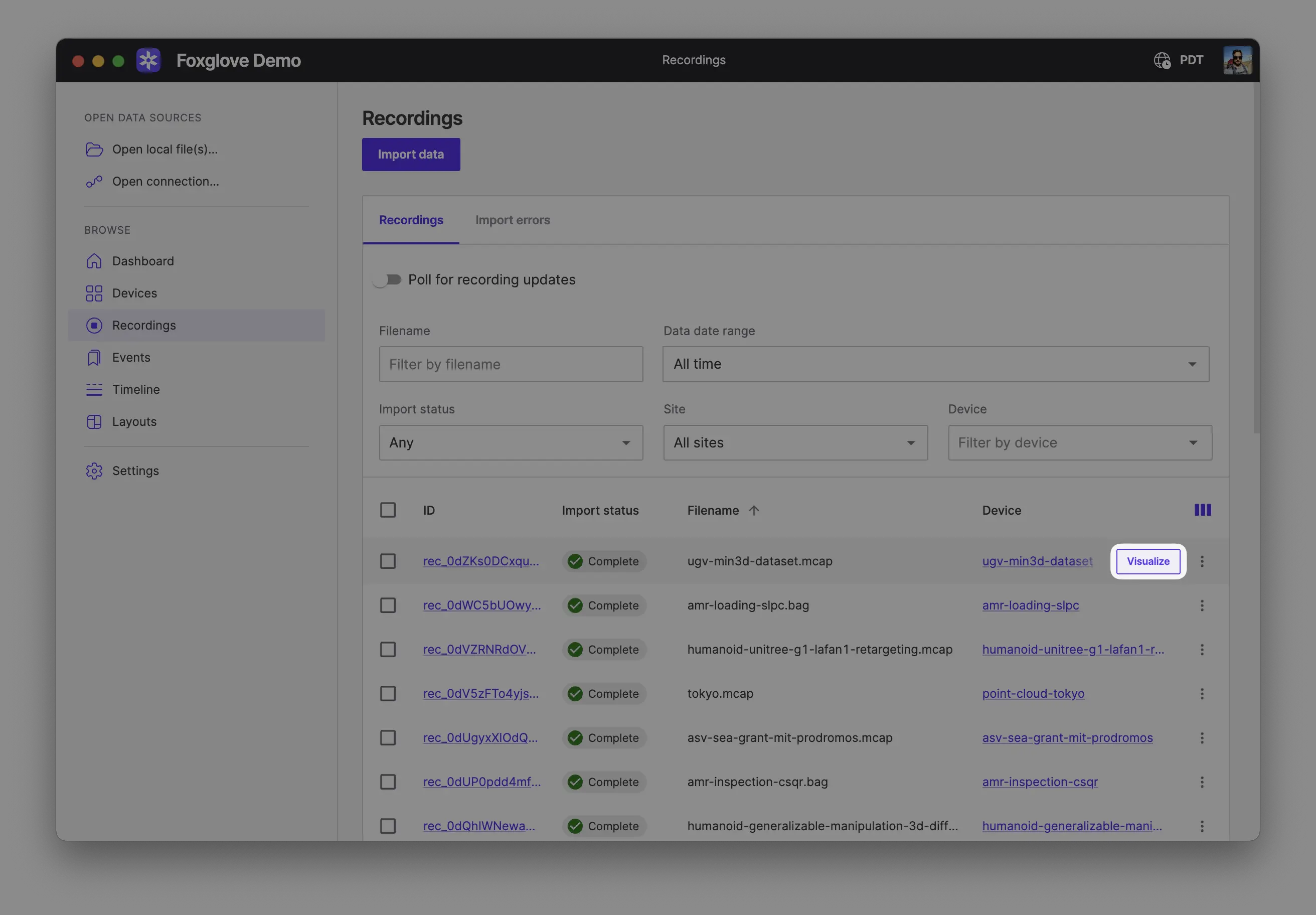
To visualize multiple recordings, sessions, or events together on a shared timeline, select them and choose Compare to open them in Comparison mode.
HTTP Remote Files
HTTP Remote Files are files hosted on a remote HTTP server that supports range requests and CORS. This allows Foxglove to load the file in chunks, rather than loading the entire file into memory.
The supported formats for HTTP Remote Files are: MCAP (.mcap) and ROS 1 (.bag)
Cross-Origin Resource Sharing (CORS) setup
To load remote data files, you must host your files in a server or cloud provider that supports Cross-Origin Resource Sharing (CORS) and accepts range requests.
When loading remote data into Foxglove for playback and analysis, we recommend hosting your files in a cloud provider like Amazon Simple Storage Service (S3), Google Cloud Storage (GCS), or Azure Storage. You can also host files on your own server, but it may be difficult and time-consuming to set up support for Cross-Origin Resource Sharing (CORS) and range requests.
If your data is sensitive, generate and use a signed URL – make sure that you point to the resource directly, as redirects will not work with CORS:
- S3 – Sharing objects using presigned URLs
- GCS – Signed URLS
- Azure Storage – Grant limited access to Azure Storage resources using shared access signatures (SAS)
This signed URL will work for a limited period of time. You can set up your server to only sign URLs for authenticated users.
Finally, set up your CORS configuration. Check out the following example of a Terraform config for an S3 bucket (docs):
cors_rule {
  allowed_methods = ["GET", "HEAD", "OPTIONS"]
  allowed_origins = ["https://app.foxglove.dev", "https://embed.foxglove.dev"]
  allowed_headers = ["*"]
  expose_headers = ["ETag", "Content-Type", "Accept-Ranges", "Content-Length"]
}
And a Terraform config for a GCS bucket (docs):
cors {
  origin = ["https://app.foxglove.dev", "https://embed.foxglove.dev"]
  method = ["GET", "HEAD", "OPTIONS"]
  response_header = ["ETag", "Content-Type", "Accept-Ranges", "Content-Length"]
}
Files behind a cookie-based access gateway
If your files sit behind a gateway that authorizes requests with a browser cookie, enable Send browser cookies with requests on the Remote files tab of the Open connection dialog after signing in to the gateway in the same browser. Foxglove then sends your cookies with every request for the files. The option is available in the web app only: the desktop app does not share cookies with your browser.
Sending cookies makes the browser apply the stricter rules for credentialed cross-origin requests, so the file server or gateway must respond with:
Access-Control-Allow-Originset to the exact Foxglove origin (https://app.foxglove.dev, or your self-hosted domain). A wildcard*is rejected.Access-Control-Allow-Credentials: true.Access-Control-Expose-HeaderslistingAccept-Ranges,Content-Length,Content-Range, andETagexplicitly. A wildcard*is ignored for credentialed requests.- The gateway cookie set with
SameSite=None; Secure. The request comes from the Foxglove origin, so the browser does not send a cookie markedSameSite=LaxorSameSite=Strict.
Leave the option off for public files and signed URLs: it is not needed, and a server that answers with wildcard CORS headers would fail under the stricter rules. Browsers that block third-party cookies, including private browsing windows, do not send the gateway cookie, so the request fails even with the option enabled.
Remote data loader
Foxglove can visualize data from any queryable source through a data backend and remote data loader deployment.
To get started, build a backend which queries your data and produces MCAP on-demand. Then, deploy the remote data loader to load and cache that data. Finally, users connect Foxglove to the remote data loader for visualization.
For more information, check out the detailed docs here.