Image panel
Display raw and compressed images, as well as compressed videos, with 2D annotations like text labels, circles, and points. Superimpose 3D markers for additional context.
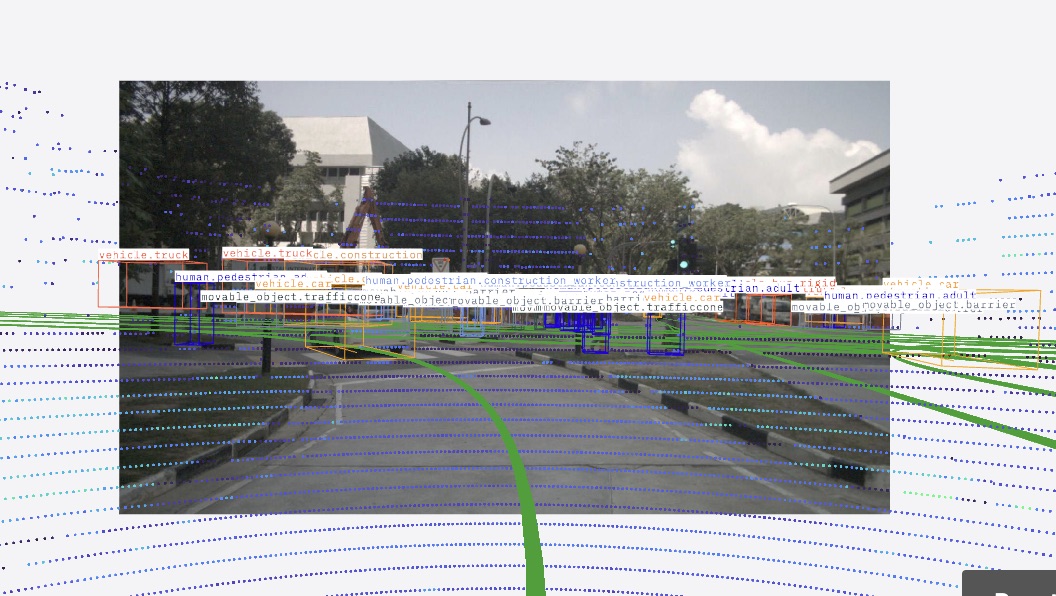
In Comparison mode, use the Data source picker in the panel toolbar to choose which slot to display.
Supported encodings
| Raw images | Compressed images | Compressed videos |
|---|---|---|
8UC1 | webp | h264 |
8UC3 | jpeg | h265 (HEVC) |
16UC1 | jpg | vp9 |
32FC1 | png | av1 |
bayer_bggr8 | avif | |
bayer_gbrg8 | ||
bayer_grbg8 | ||
bayer_rggb8 | ||
bayer_bggr12 | ||
bayer_gbrg12 | ||
bayer_grbg12 | ||
bayer_rggb12 | ||
bgr8 | ||
bgra8 | ||
mono8 | ||
mono16 | ||
nv12 | ||
rccg12 | ||
rgb8 | ||
rgba8 | ||
uyvy or yuv422 | ||
yuyv or yuv422_yuy2 |
Color correction for RCCG images
rccg12 is a Red-Clear-Clear-Green filter (R C / C G) with no blue sample, so a color-correction matrix (CCM) is used to map the measured [R, Clear, G] channels to displayed [R, G, B]. When none is supplied, a default matrix (R_out = R, G_out = G, B_out = Clear) is used.
To supply your own calibrated matrix, add an MCAP metadata record named foxglove.raw_image_color_correction with these keys:
| key | value |
|---|---|
topic | the image topic the matrix applies to |
m00…m22 | the nine row-major matrix entries mapping [R, Clear, G] → [R, G, B] |
For example, m00, m01, m02 are the coefficients for the output red channel. A recording-supplied matrix takes precedence over the built-in default.
Supported messages
To use this panel, your data source must provide messages conforming to 3D marker message types or one of the following supported schemas.
RawImage
| framework | schema |
|---|---|
| ROS 1 | sensor_msgs/Image |
| ROS 2 | sensor_msgs/msg/Image |
| Custom | foxglove.RawImage |
CompressedImage
| framework | schema |
|---|---|
| ROS 1 | sensor_msgs/CompressedImage |
| ROS 2 | sensor_msgs/msg/CompressedImage |
| Custom | foxglove.CompressedImage |
CompressedVideo
See the CompressedVideo schema documentation for information about how to correctly encode video messages.
Compressed video support is subject to hardware limitations and patent licensing, so not all encodings may be supported on all platforms. See more about H.265 support, VP9 support, and AV1 support.
| framework | schema |
|---|---|
| ROS 1 | foxglove_msgs/CompressedVideo |
| ROS 2 | foxglove_msgs/msg/CompressedVideo |
| Custom | foxglove.CompressedVideo |
CameraCalibration
Provide optional camera calibration data to render 3D entities in the Image panel, or render images in the 3D panel. Calibration data is not required to display ImageAnnotations since they use pixel coordinates.
Foxglove supports the following distortion models: plumb_bob, rational_polynomial, kannala_brandt, and fisheye62. The equidistant model is also supported when using ROS sensor_msgs/CameraInfo schema, where it is treated as equivalent to kannala_brandt. Both kannala_brandt and equidistant support rectification for fields of view up to 180°. For cameras exceeding 180°, use fisheye62 instead.
Following ROS conventions, Foxglove treats a camera as uncalibrated when K[0] === 0. In this case, the image is rendered without applying camera calibration.
| framework | schema |
|---|---|
| ROS 1 | sensor_msgs/CameraInfo |
| ROS 2 | sensor_msgs/msg/CameraInfo |
| Custom | foxglove.CameraCalibration |
ImageAnnotations
| framework | schema |
|---|---|
| ROS 1 | visualization_msgs/ImageMarker |
| ROS 2 | visualization_msgs/msg/ImageMarker |
| Custom | foxglove.ImageAnnotations |
Hovering over an annotation displays a tooltip with the annotation's metadata. Individual annotations (CircleAnnotation, PointsAnnotation, TextAnnotation) can include their own metadata field. Per-annotation metadata is merged with the top-level ImageAnnotations metadata; when both contain the same key, the per-annotation value takes precedence.
SceneEntity
3D scene entities can be superimposed on images when a calibration topic is configured. See 3D panel scene entity docs for more details.
| framework | schema |
|---|---|
| Custom | foxglove.SceneEntity |
| Custom | foxglove.SceneUpdate |
Settings
General
| field | description |
|---|---|
| Topic | Camera image or video topic to display |
| Calibration | Calibration topic to use for distortion and 3D markers |
| Rectify | Undistort the image using the calibration topic. Select a calibration topic and turn on Rectify to display 3D topics and map layers. With Rectify off, the panel still shows the original image, Image overlays, and Image annotations. |
| Sync timestamps | Enables timestamp synchronization for the image and its associated topics. See the dedicated section below for details. |
| Flip horizontal | Flip image across the vertical axis |
| Flip vertical | Flip image across the horizontal axis |
| Rotation | Amount of image rotation (0°, 90°, 180°, or 270°) |
| Color mode | Only supported for single-channel images:
|
| Color map | Only shown if "Color mode" is set to "Color map". For mapping
|
| Gradient | Only shown if "Color mode" is set to "Gradient". Specifies gradient color values formono8, 8UC1, mono16, 16UC1, and 32FC1 images. |
| Value min | Minimum scaling value for mono8, 8UC1, mono16, 16UC1, and 32FC1 images (default: 0). |
| Value max | Maximum scaling value for mono8, 8UC1, mono16, 16UC1, and 32FC1 images. Defaults: 255 for mono8/8UC1, 10000 for mono16/16UC1, and 1.0 for 32FC1. For 32FC1, NaN/Inf pixels are rendered as black. |
Image overlays
Superimpose one or more image topics on top of the base image. You can add overlays, reorder them, toggle visibility, and adjust how each overlay is composited.
Overlay topics must use the same frame_id and image dimensions as the base image topic. Foxglove shows an error when an overlay does not match.
| field | description |
|---|---|
| Topic | Image topic to composite on top of the base image |
| Opacity | Alpha strength for the overlay |
| Blend mode | How the overlay is composited onto the base image. Alpha uses standard alpha blending. Add adds overlay pixel values to the base image |
| Pixel alpha | Only supported for single-channel raw image topics. White is transparent makes pixels rendered as white fully transparent, which is useful for mask-style overlays |
| Schema | Message schema to use when a topic can be converted to multiple supported image schemas |
Scene
| field | description |
|---|---|
| Render stats | Display rendering performance statistics in panel corner |
| Background | Color of background behind the image |
| Label scale | Size of text labels |
Ignore COLLADA <up_axis> | Ignore the <up_axis> tag in COLLADA files |
| Mesh up-axis | Direction of “up” when loading meshes (STL, OBJ) without orientation info ("Y-up", "Z-up") |
View
Configure depth settings for 3D content displayed in the panel.
| field | description |
|---|---|
| Near | Near clipping plane distance |
| Far | Far clipping plane distance |
| Log depth | Enable logarithmic depth buffer for more uniform depth precision. May result in rendering artifacts or performance degradation. |
Location
| field | description |
|---|---|
| Location topic | Location fix topic to use for geographic alignment of map layers. Auto selects the first topic with a known frame. |
| ENU frame | East-North-Up frame whose XY plane geographically aligns map layers and location fixes. |
Image annotations
2D image annotation marker topics to display.
Transforms
List of transform messages to display.
See the 3D panel docs for more information on possible settings.
Topics
List of 3D marker topics to superimpose on the image.
Custom layers
3D map
The Image panel supports 3D Maps. Select a Calibration topic and turn on Rectify under General to display 3D Maps and other map layers. See the 3D Map documentation for location data, settings, and seat requirements.
Other custom layers
See the 3D panel docs for other custom layers.
Publish
Configure publishing settings for the Image panel.
The cursor hover publish feature uses different message schemas for ROS and non-ROS data sources.
The message types used for ROS and non-ROS data sources are:
| Feature | Corresponding ROS message type | Foxglove message |
|---|---|---|
| Cursor click | geometry_msgs/PointStamped | foxglove.Point3InFrame |
| Cursor hover | geometry_msgs/PointStamped | foxglove.Point3InFrame |
| Field | Description |
|---|---|
| Click topic | Topic on which to publish pixel coordinates when clicking on the image (default: /foxglove/cursor/click). |
| Hover topic | Topic on which to publish pixel coordinates when hovering over the image (default: /foxglove/cursor/hover). |
Controls and shortcuts
- Scroll – Zoom in and out
- Drag – Pan around the image
1– Reset zoom and pani– Show or hide the object inspector
Hover on the image to view the mouse coordinates and numeric value of a pixel. The same pixel will also be indicated on other Image panels displaying images with the same frame_id and pixel dimensions.

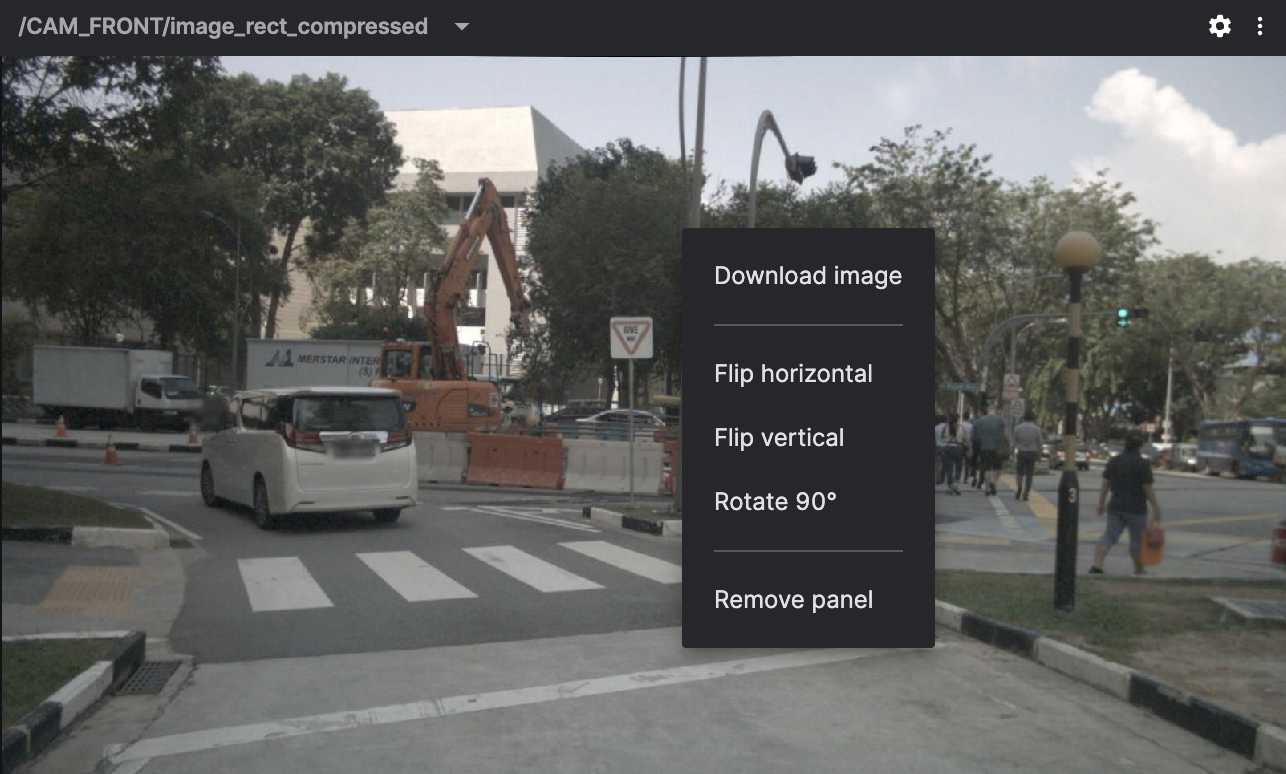
Right-click on the image to download it as a PNG file.
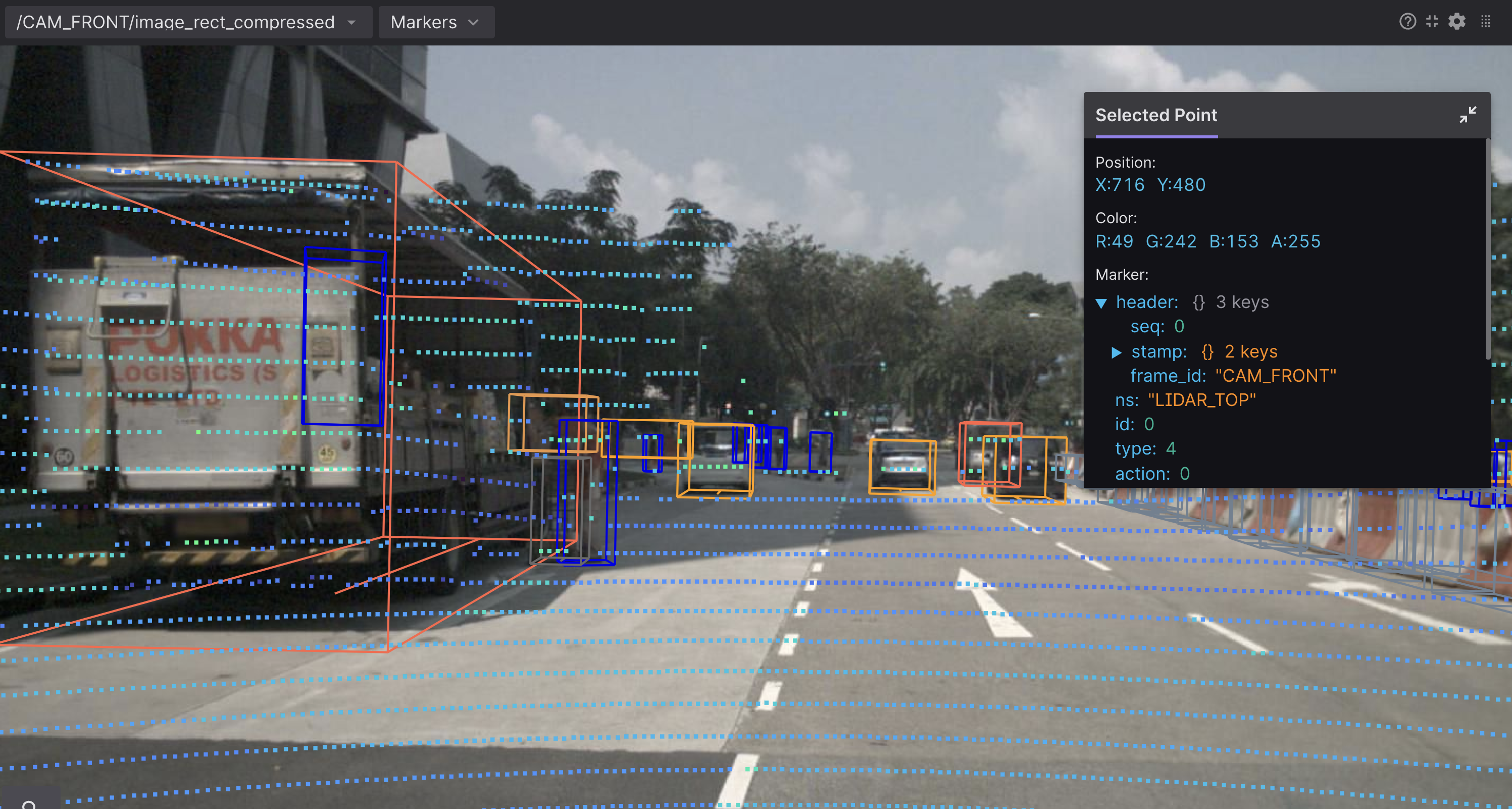
Click any displayed image marker to view its details.
Scroll to zoom, and drag to pan. Annotations will re-render on zoom to remain sharp.
Troubleshooting video delay
You may see errors for foxglove.CompressedVideo topics stating that the frame being displayed is delayed a number of milliseconds from the most recent frame. If you're seeing the delay grow during playback, then this could be due to the video decoder on your platform. Video decoding behavior can vary across platforms, and some platforms may experience delays while others do not. It is possible to configure your video stream to optimize for low-latency decoding, but it may be impossible to guarantee that a video stream can be decoded with zero latency on all platforms.
Some tips on how configure the video encoding to best achieve low-latency decoding:
- Use the
BASELINEprofile forh264encoded streams. This profile is preferred because it does not support B frames. Profiles which support B frames may introduce decoding delay, even if the encoded stream doesn't actually contain B frames. - Disable frame reordering on your encoder.
- Lower profile levels (
level_idc) usually require smaller buffers, resulting in lower-latency decoding. - If your encoder allows it, use a
bitstream_restrictionin the VUI parameters to limit the size of the buffer (max_dec_frame_buffering) and also disable frame reordering (max_num_reorder_frames).
If you see that the video delay increases significantly during playback that likely means that the video decoder can't keep up with your stream, and you'll want to reduce the number of your panels displaying video streams and/or check that your platform supports video acceleration. Read on to see more information.
System CPU load and power consumption may also contribute to decoding delays. Hardware-accelerated decoding is generally faster and more energy-efficient. Make sure to check that it is enabled.
These steps can help your platform achieve low-latency decoding, but there is no guarantee depending on the platform and device being used.
Checking video acceleration
You can check whether your platform supports hardware-accelerated video decoding by opening Google Chrome and entering chrome://gpu in the address bar. If you do not see Video Decode: Hardware accelerated or the Video Acceleration section is empty on this page, but you believe that it should be supported, then you may need to take additional platform-specific steps to enable it.
The desktop app uses Electron (based on Chromium), and should automatically use hardware acceleration when available. If you're seeing issues here, we recommend following the steps above to see if the same issue exists in Chrome. If so, there's a good chance it's affecting our application for the same reasons. We recommend getting things working in Chrome first, and if the desktop app is still having issues afterward please let us know and we'll look into it.
Enabling video acceleration
Tips for Foxglove web in Chromium browsers:
- Go to
chrome://settings, search your settings foraccelerationand ensure that the "Use graphics acceleration when available" toggle is enabled. - Go to
chrome://flags, search forvideoand ensure that "Hardware-accelerated video decode" is enabled.
MacOS:
- For web, significant performance gains have been observed when changing the graphics backend to use "Metal" in Chromium-based browsers. You can do this in
about://flags.
On Linux:
Chrome and the Foxglove desktop app attempt hardware-accelerated video decode on a supported integrated GPU when one is available. Keep your graphics drivers up to date.
NVIDIA hardware decode is disabled by default. Chromium feature flags can enable it, but Foxglove can't provide dependable guidance because GPU and driver setups differ. The same flags that enable hardware acceleration in Chrome or Chromium 150 and later also work when you start Foxglove from the terminal. The desktop app forwards Chromium --enable-features flags and does not overwrite them.
Chromium does not officially support NVIDIA VA-API. Enabling it can crash the GPU process, including rendering outside video panels. See Chromium issue 40285654.
Quit Foxglove before launching it with flags. A second instance attaches to the running app and does not apply new Chromium switches.
To persist flags across package updates, copy /usr/share/applications/foxglove-studio.desktop to ~/.local/share/applications/foxglove-studio.desktop, then add the flags to the Exec line in the user-level copy.
Timestamp synchronization
The Sync timestamps setting gates rendering on exact timestamp alignment across the image topic and its associated topics. When enabled, the panel buffers incoming messages and only renders a frame when every participating topic has a message with the same timestamp.
How it works
- Enable Sync timestamps in the General settings section.
- The primary image topic is always included in synchronization.
- All visible
ImageAnnotationstopics are automatically included — there is no separate opt-out. - For 3D overlay topics, enable the Sync toggle in the topic's settings to include them.
- At least one additional topic (a visible annotation or a Sync-enabled overlay) must participate alongside the image topic — otherwise there is nothing to match against.
The panel retains up to 250 unique timestamps in its synchronization buffer. If a match is not found within that window, the oldest timestamps are discarded. For best results, ensure your topics publish at the same rate and with aligned timestamps.
Calibration topics always use the most recently received message and do not participate in synchronization.
Timestamp extraction
Timestamps are extracted from header.stamp for ROS messages or the timestamp field for Foxglove messages — not log time. For scene updates and marker arrays, the timestamp of the first entity or marker in the message is used. For ImageAnnotations, the root-level timestamp is used; if absent, the timestamp of the first annotation (circles, points, or texts) is used.
What is not synchronized
Transforms and URDFs are never registered for synchronization. Transforms continue to build the transform tree normally, and all entities compute their position at the synced timestamp.